- Unity
- C#
- DICOM
- Fellow Oak DICOM
- Looking Glass
On this page
Context
During my MITACS research internship at the University of Alberta, I worked on extended-reality (XR) visualization techniques for medical imaging.
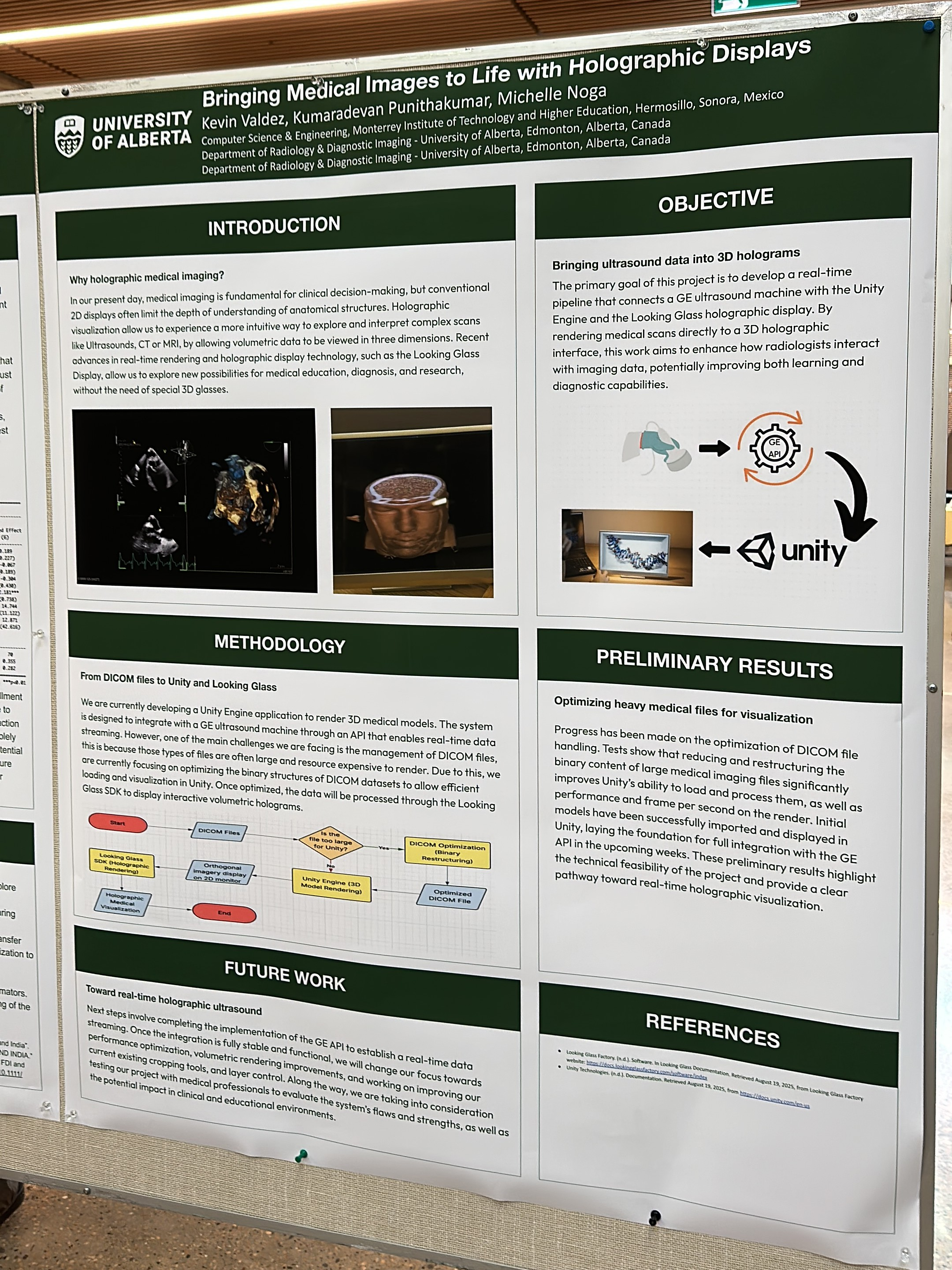
The objective was to build a research system from the ground up that could load, process, and render volumetric ultrasound data through a Looking Glass holographic display using the Unity Engine.
The work combined DICOM data processing, real-time volume rendering, interaction design, and manufacturer-specific metadata handling. Collaboration with GE provided access to ultrasound data and technical context that made it possible to develop and test the rendering workflow with GE datasets.
The Challenge
Volumetric ultrasound data is not stored identically across manufacturers. Although DICOM defines a common standard, Philips and GE datasets can rely on different combinations of standard attributes, private tags, and data organization conventions.
A parser built around a single fixed structure would therefore be unreliable when processing files from different sources.
The inherited Unity project also contained legacy XR logic designed for a previous hardware target. Moving the prototype to the Looking Glass display required removing those assumptions, restructuring the rendering workflow, and designing an interaction model suitable for a desktop holographic display.
At the same time, the system needed to process large volumetric datasets while operating within the memory and performance constraints of real-time rendering in Unity.
The Solution
I rebuilt the visualization architecture around the Looking Glass SDK and removed device-specific logic that was no longer relevant to the new hardware.
For DICOM processing, I used Fellow Oak DICOM to implement a parsing workflow that first inspects standard metadata and then evaluates manufacturer-specific attributes when the required volume information is not available through the expected tags.
The architecture separates file inspection, manufacturer detection, volume extraction, processing, and rendering. This makes the pipeline easier to investigate and adapt when datasets follow different metadata conventions.
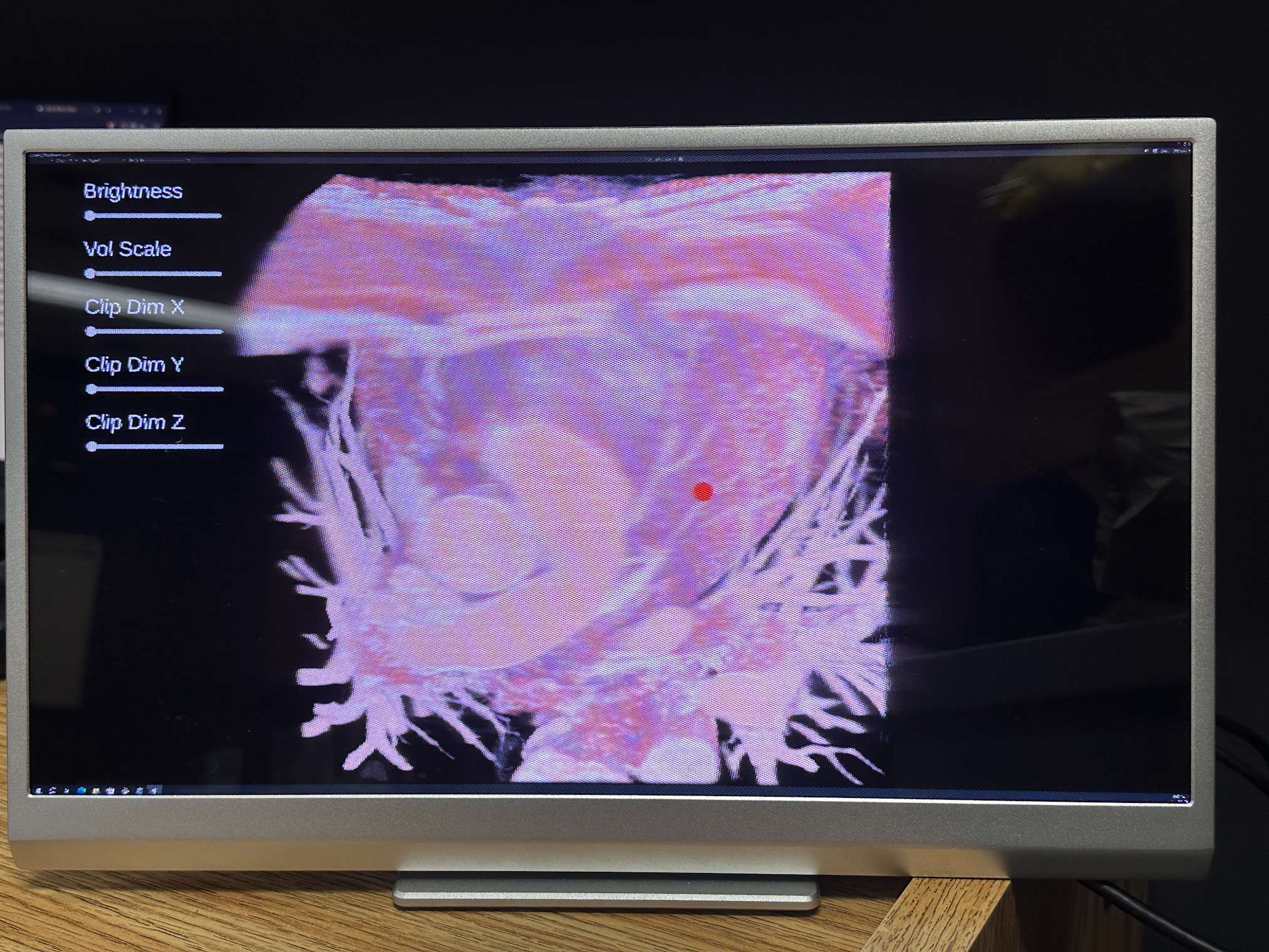
Beyond loading and rendering the volume, I added controls that allow to crop, clip, highlight, and isolate regions of the holographic ultrasound data in real time.
Technical Approach
DICOM Inspection & Manufacturer Detection
I inspected metadata from Philips and GE ultrasound datasets to identify how each manufacturer represented volume dimensions, voxel data, frame organization, and related acquisition information.
Rather than assuming that every file followed the same tag structure, the loader examines the available metadata and selects the appropriate processing path based on the dataset.
The GE workflow could be tested through rendered volumetric datasets made available through the research collaboration. Philips metadata was also investigated to document its structure and define a compatible parsing direction, although equivalent rendering validation was outside the datasets available for this prototype.
Volume Processing
I developed the pipeline that transforms raw ultrasound data into a three-dimensional texture that can be rendered inside Unity.
Because volumetric medical datasets can require significant memory and processing time, the implementation focused on controlled allocation, predictable loading behavior, and avoiding unnecessary transformations or duplicated data.
Performance investigation remained a separate part of the work so that processing limitations could be measured without coupling them to the interaction or display logic.
Interactive Exploration
I implemented multi-axis clipping and cropping controls that allow researchers to inspect internal regions of the rendered volume.
Additional controls make it possible to highlight, isolate, or hide selected cross-sections, providing more precise spatial exploration than viewing the complete volume from the outside.
The interaction model was designed around research tasks such as inspection, comparison, and region isolation rather than conventional XR gestures intended for the previous hardware setup.
Looking Glass Integration
I integrated the Looking Glass Unity plugin and adapted the rendering workflow for the holographic display.
Legacy XR components associated with the previous device were removed instead of being preserved behind additional abstraction. This reduced unnecessary dependencies and kept the prototype focused on the hardware used during the research.
Key Engineering Decisions
- Separate manufacturer detection from volume extraction and rendering.
- Inspect actual metadata before making assumptions about DICOM tag locations.
- Use standard DICOM attributes first, with manufacturer-specific handling where necessary.
- Keep file inspection, processing, rendering, and interaction as distinct parts of the system.
- Remove obsolete XR device logic rather than carrying it into the new implementation.
- Design controls around research activities such as clipping, isolation, and comparison.
- Treat memory usage and volume-processing performance as a dedicated area of investigation.
- Distinguish between metadata compatibility and rendering workflows that were validated with available datasets.
Outcome
The project produced a working research prototype that connects volumetric DICOM processing with interactive visualization on a Looking Glass holographic display.
Using ultrasound datasets available through the collaboration with GE, the system successfully loaded and rendered volumetric data while allowing to crop, clip, highlight, and isolate regions in real time.
The project also documented relevant differences between GE and Philips metadata structures and established a modular foundation for investigating additional manufacturer formats. Rendering validation for this prototype was limited to the datasets made available during the research, so compatibility with other manufacturers would require further testing with representative files.
This prototype was developed exclusively as research software. It has not been clinically validated and is not intended for diagnosis, treatment planning, or other clinical use.
What the work established
Research Development
The prototype was investigated and developed during a MITACS research placement at the University of Alberta.
Manufacturer-Aware DICOM Research
The project validated the rendering workflow with GE datasets while documenting Philips metadata structures for future compatibility investigation.
Interactive Volume Exploration
Cropping, clipping, highlighting, and visibility controls allowed researchers to isolate and inspect regions of interest.
Project gallery